




 Powered by FlowVella

What is Guided Access?
Get Started :
What is Guided Access?
Continue
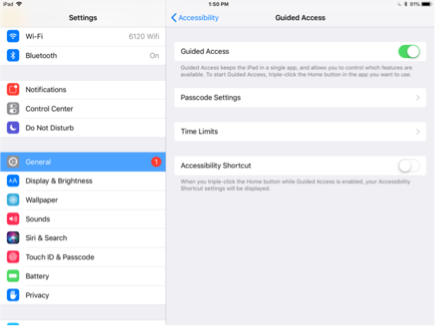
What is Guided Access? Guided Access limits your iPad to a single app and lets you control which features are available. It is an 'Accessibility' setting that can be found in the iPad Settings app.
In the Apple Settings app. Settings > General > Accessibility > Guided Access
What are the other features of Guided Access? You set a Passcode, and can turn off other features, but for Flow Kiosk we focus on enabling and activating Guided Access on the iPad.
How do you activate Guided Access? In Flow Kiosk, we detect if Guided Access is not activated and show the screen to the right. You can tap on the Settings button and enable. Then you return to Flow Kiosk and triple tap the home button.
Video showing how to enable and activate Guided Access.
How do you exit Guided Access? In order to exit kiosk mode, you 'triple tap' the home button. You will then be prompted to enter your Guided Access Passcode.
Video showing how to exit out of Guided Access.